What about the script that receives the form input: respond.py? It looks
like this,
# respond.py
import cgi

template = '''<!DOCTYPE html>
<html lang="en">
<head>
  <meta charset="UTF-8" />
    <title>respond.py output</title>
  </head>
  <body>
    <p>Hi %s.</p>
  </body>
</html>'''

form = cgi.FieldStorage()
print 'Content-type: text/html'
print
print template % (form['user'].value)
There's not much to see. We import the cgi module so we can have it parse
the communication from the server. This is done by the line: form =
cgi.FieldStorage(). Then we just insert the value of the user field of
the form input into the output template using string interpolation in the last line and send the string to the client by printing it..
There are several things to note about this program and process:
Triple quoted strings give us a nice way of creating a template (like a form letter) into which we can insert the relevant values using string interpolation.
The first print statement sends a header line to the client. This is required. In real-world applications there may
be many header lines (specifying language, cache controls, encodings,
etc.) We'll see a little bit more about them in a couple weeks.
The blank line sent after the header line is required. The HTTP protocol calls for the body of a messge to be separated from the header lines describing the message by a single blank line, i.e. everything before a blank line is assumed to be header lines, only what follows the first blank line is assumed to be message to be displayed by the browser.
the FieldStorage method creates a dictionary-like object that we can
access using the names given to the fields in the HTML input form.
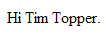
The output in the browser should look something like this,
Still nothing to look at, but as programmers you realize that now we have input to our program, and output from it, we have all the tools we need to do anything!