IPO Programming
With PIL installed and some test images to play with we can move on to image processing. In its overall structure image processing turns out to be a throwback to the beginning of CPSC 128 where we did IPO or Input, Processing, Output, programming. We'll need to input images, process them and then output the processed result.
Input
Reading in an image:
from PIL import Image

im = Image.open("penguins.png") # Opens the file and returns an image object.
im = im.convert("L") # Convert to a greyscale image.
Processing
Now to work with the image we'll need to be able to manipulate the pixel values. To do this PIL provides "pixel map access objects".
# pix is a "pixel map access object" for the image named im.
pix = im.load()
pix gives us direct access to the pixel values in the image similar to the way u.cells gave us acess to the cell values in a life universe. For a greyscale image the values in pix will range from 0 for black, to 255 for white, with numbers in between representing shades of grey.
The notation we use with pix is slightly differently from u.cells though, e.g. to display the pixel values of the 10 × 10 region of pixels in the upper left corner of the image:
# pix coordinate system is [x, y],
# with [0, 0] in the upper left corner of the image,
# x measuring across the image, and y down the image.
for x in range(10):
	for y in range(10):
		print pix[x,y],
	print
The key thing to notice is that we have to use the notation pix[x, y] not pix[x][y]. Other than that we can treat our "pixel map access objects" like pix as though they were lists of lists.
The output from the code above is:
162 155 155 162 164 158 136 107 86 125
168 168 164 164 166 162 142 109 88 123
171 164 164 175 179 171 144 109 94 133
181 171 169 182 179 166 153 125 90 127
181 184 188 190 182 168 153 131 105 145
177 186 186 184 181 173 158 136 110 145
181 186 186 182 177 169 153 131 112 147
182 184 182 179 175 175 168 149 116 134
173 175 177 175 173 173 173 160 129 142
160 158 158 164 168 171 177 168 140 145
(This might remind you of the topography problem in CPSC 128, and indeed in mathematical terms it is the same.)
Output
Having read our image in, let's process it and output the result.
print im.size # im.size is a tuple giving the size of image (cols,rows)

for x in range(im.size[0]):
	for y in range(im.size[1]):
		pix[x,y] = pix[x,y]/4

im.save("dkpenguins.png")

print 'Done.'
Note that PIL will try to guess the file format to write based on the filename suffix (in this case png). You can also provide a format argument to specify the desired format.
Here are the before and after images:
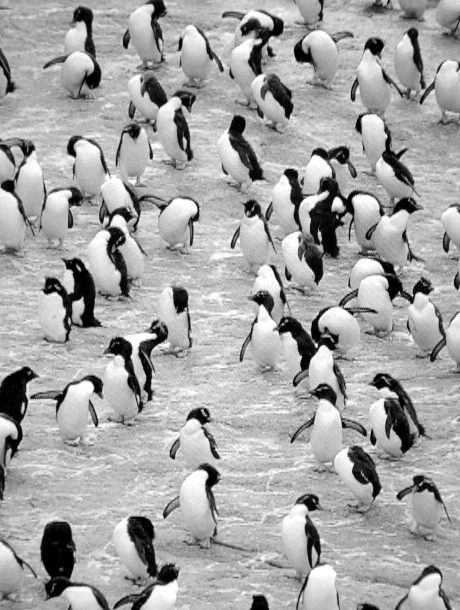
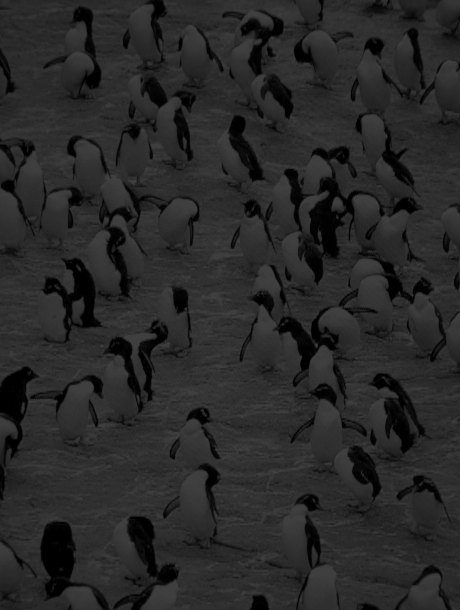
As you can see the effect of dividing each pixel value by 4 was to decrease all the pixel values and thus darken the image.