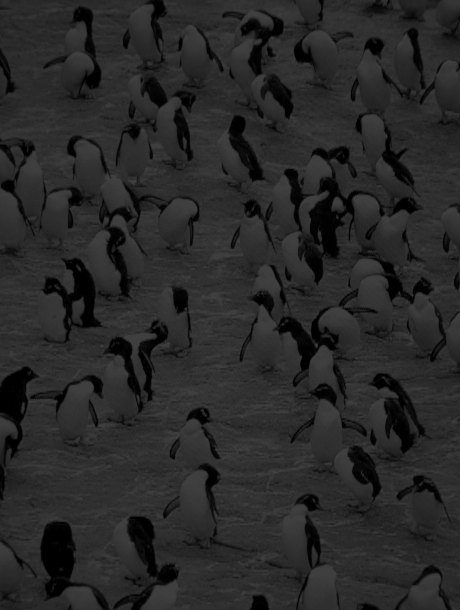
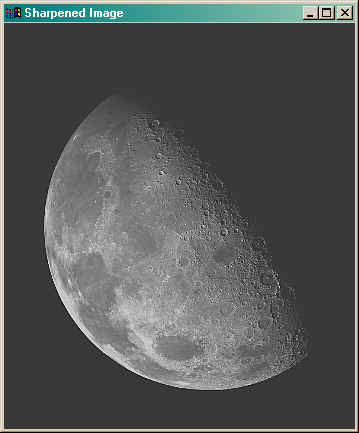
Often we receive pictures that are "dark" because they were underexposed, or "washed out" because they were overexposed, and sometimes we create them as a result of our processing. For example:
One way to enhance images like these is to increase their dynamic range. An image's dynamic range is the range of pixel values it uses. Greyscale PIL images assign each pixel a value from 0 to 255 (inclusive). The problem with the images above is that they don't take full advantage of this range. The penguin image has an upper limit far less than 255, and the moon image doesn't have any true blacks because its pixel values don't go as low as 0.
The mathematical problem of dynamic range is to take an image with pixel values in the range [a,b] and reassign them so they use the range [0,255]. We can do that by subtracting a from each pixel value to shift the range of pixel values so it starts at 0, and then multiplying each shifted pixel value by the ratio of the maximum shifted pixel value in the image to 255. This will make the new maximum pixel value in the image be 255 (while leaving the 0 values at 0 because that's how multiplication works).
What could go wrong?
Do it by hand first: Before coding it check your formula on an example. Imagine you have an image with pixel values in the range [50,100]. Your formula should turn 50 into 0 and 100 into 255. Check that it does.
Watch out for integer arithmetic! Remember that integer division truncates so you might need to a) change what seems like the "natural" order of operations to let your numerators grow before dividing them by potentially large denominators, or alternatively b) use floating point values for some parts of calculations. For example if we get 12 out of 15 on a test and calculate our percentage grade using the "obvious" formula 12/15 * 100 with integer arithmetic we will get 0, because 12/15 is 0 and 0 times 100 is still 0. Instead we need either to rearrange this expression as 12 * 100 /15 to get 80 (since 12*100 = 1200 and 1200/15 = 80), or use floating point values, 12.0/15 * 100, to get 80.0 which we can then convert to 80 if we need an integer result.